
10 After Effects Tricks That Will Save You HOURS
Most After Effects users waste time doing things manually that can be automated or simplified.
These are practical tricks that actually speed up real workflows.
1. Use valueAtTime() for Instant Delays
Instead of keyframing 20 layers, offset them using:
thisComp.layer(index - 1).transform.position.valueAtTime(time - 0.05)
This creates a smooth cascade animation instantly.
2. Parent Everything to a Control Null
Create one null object and control:
- position
- scale
- rotation
This lets you animate complex scenes from ONE layer.
3. Use seedRandom() for Stable Randomness
seedRandom(index, true);
random(0,100)
Without this, your animation changes every frame.
With it, randomness stays consistent.
4. Turn Expressions Into Sliders
Add a slider control and replace values like:
value + 50
with:
value + effect("Spacing")("Slider")
This makes everything become adjustable.
5. Duplicate Faster with Ctrl + D + Offset
Duplicate layers quickly, then offset them in timeline.
Combine with time delay → instant animation stacks.
6. Use Shape Layer Repeaters
Instead of duplicating shapes manually:
- Add Repeater
- Adjust copies + transform
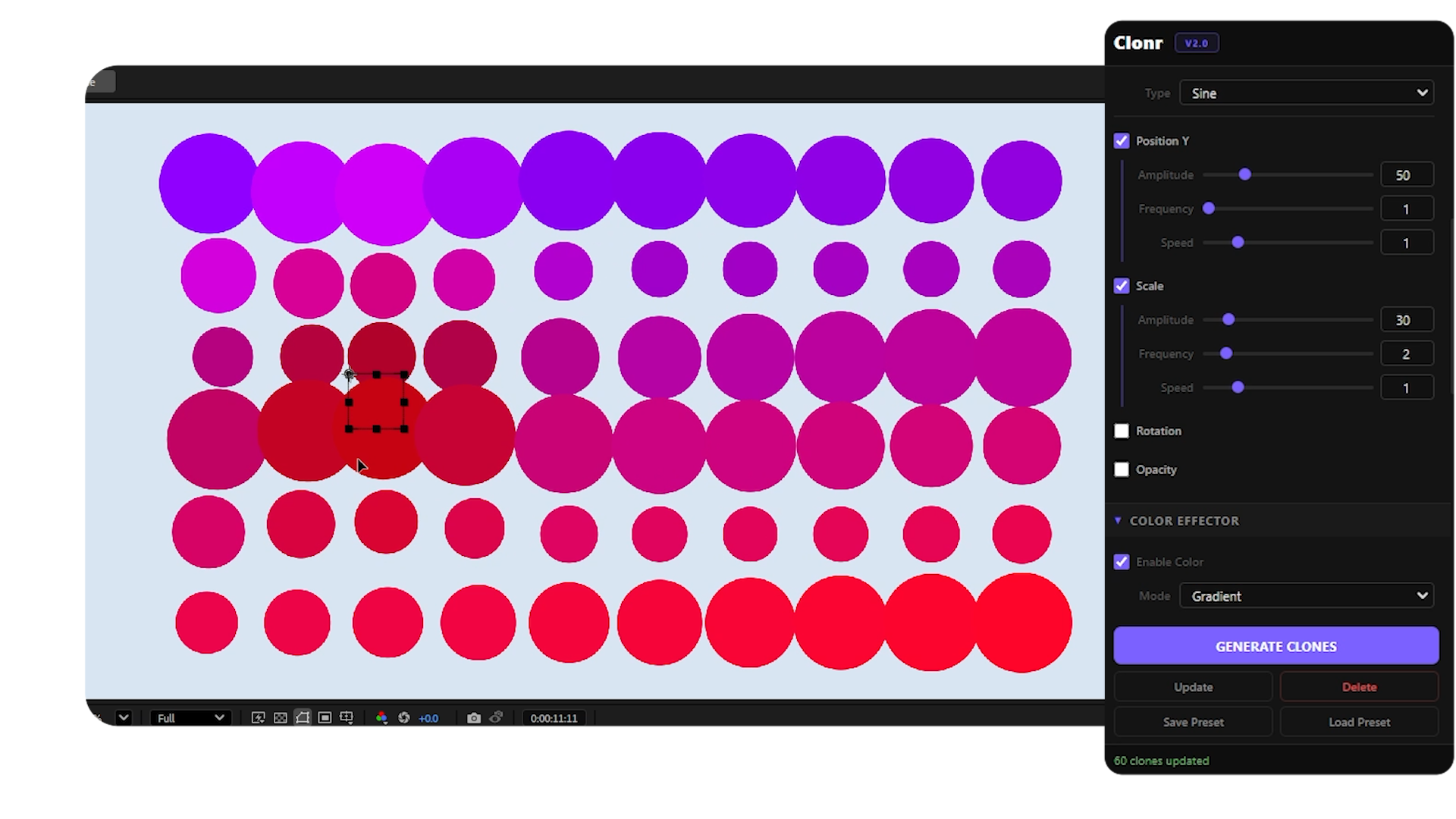
Perfect for grids, lines, and patterns. You can also use plugin ClonR to make this process much faster and simpler.
7. Create Looping Animations with loopOut()
loopOut("cycle")
This turns any animation into a seamless loop.
Great for UI and background motion.
8. Use index for Procedural Layouts
[index * 100, 0]
This automatically spaces layers.
No manual positioning needed.
9. Use Adjustment Layers for Global Effects
Instead of applying effects to every layer:
- add adjustment layer
- apply effect once
Huge time saver specially for VFX.
10. Pre-compose Strategically
Pre-compose when:
- animation gets messy
- effects stack heavily
But avoid over-precomposing, try to keep control where needed.
Final Thoughts
The biggest upgrade in After Effects isn’t learning more effects.
It’s learning how to:
- automate
- reuse
- control systems
Even applying 2–3 of these tricks can cut your workflow time in half.
Recommended Posts
Why is After Effects Slow (And How to Fix It)
After Effects feels slow? Learn the real causes of lag and how to fix preview, RAM, effects, expressions, and workflow issues to speed up AE. If After Effects feels laggy, stuttery, or just painful to use, you’re not alone. The good news: most slowdowns come from a few common bottlenecks - and fixing them can dramatically speed up your workflow. This guide breaks down the real causes and how to fix them.

How to Preview TikTok & Reels Safe Zones in Premiere Pro
Stop guessing where your text gets cut off. Learn how to preview exactly how your video looks on TikTok, Reels, and Shorts before you export, directly inside Premiere.
5 After Effects Tips Every Beginner Should Know
Master the fundamentals of After Effects with these essential tips that will speed up your workflow and improve your animations from day one.